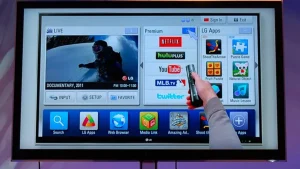


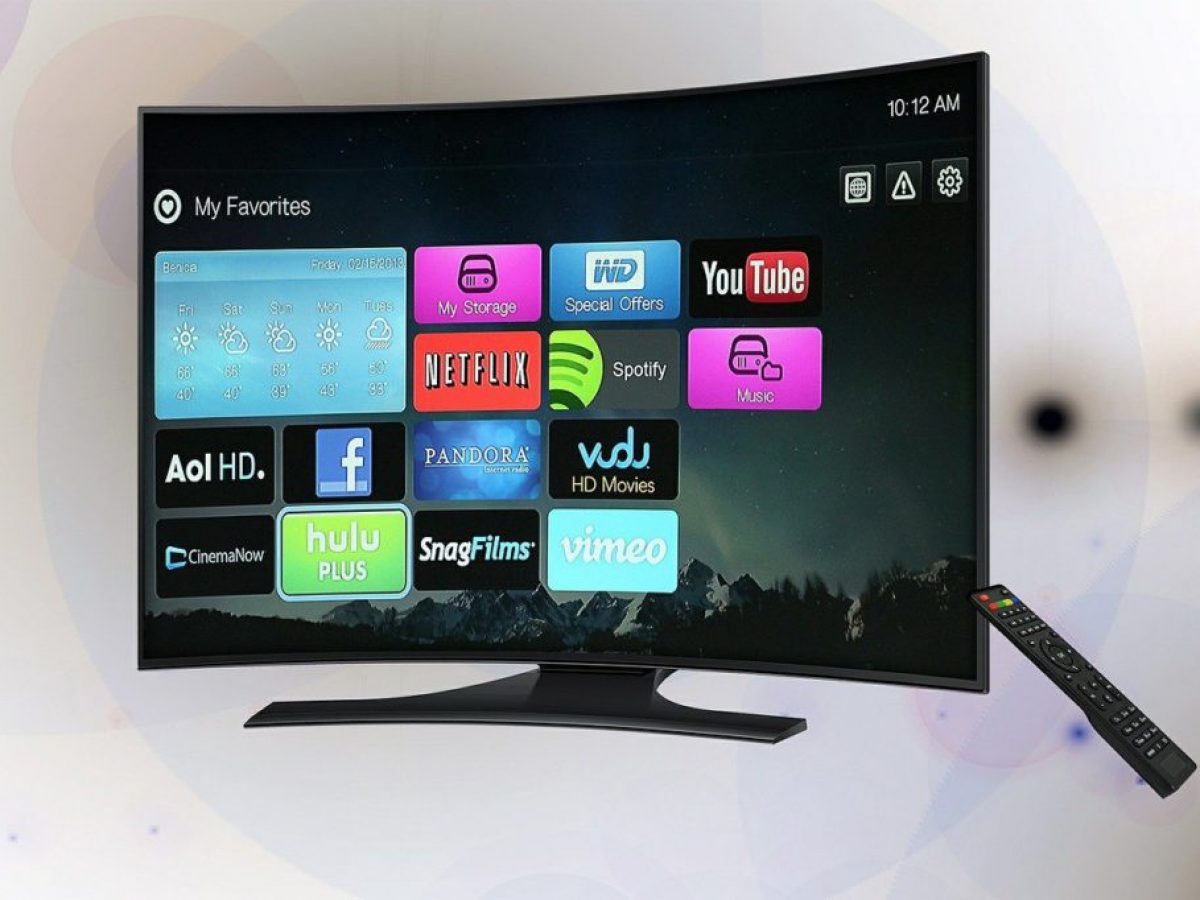
Smart TVs are very good for daily use because they offer easy access to streaming services, a wide variety of apps, and a user-friendly interface, all without needing external devices. They can be used as a traditional TV or as a central hub for a connected home entertainment system, allowing users to stream, browse, and use apps, though potential drawbacks include security vulnerabilities, slower performance over time, and limited audio quality in some models.
Advantages:
- Convenient content access: Smart TVs provide built-in access to streaming services like Netflix, YouTube, and Spotify, plus other apps and games, without the need for extra devices.
- Versatile functionality: They act as a central hub for your home entertainment, allowing you to watch cable, stream from apps, browse the web, and even use social media.
- Seamless connectivity: Many models include Wi-Fi and Bluetooth, making it easy to connect to smartphones, tablets, and computers to stream content directly from your device.
- Enhanced experience: Some smart TVs offer advanced features like Multi View mode to watch your phone screen on the TV simultaneously or voice control for easy searching.
- Bundled hardware: They combine the functions of a regular TV and a streaming device into a single unit.
Disadvantages:
- Security concerns: Internet-connected devices are vulnerable to security risks like hacking and unauthorized access. Some models may also track viewing habits for personalized ads.
- Performance and longevity: Like smartphones, smart TVs can become slower over time as apps and the operating system update. Some manufacturers may also stop supporting older models with app updates.
- Limited audio quality: Due to their slim design, many smart TVs have weak built-in speakers. To get better audio, you may need to purchase an external soundbar.
- Potential for data collection: Many smart TVs use Automatic Content Recognition (ACR) to track what you watch, which can be a privacy concern for some users.
What are the disadvantages of a smart TV?
Smart TVs have several disadvantages, including privacy concerns due to data collection and security vulnerabilities, software issues like slow performance or frequent crashes, and a faster rate of obsolescence compared to non-smart TVs. Other drawbacks include potentially limited app support over time, higher costs, and a less-customizable interface compared to dedicated streaming devices.
Privacy and security risks:
- Data collection: Many smart TVs track your viewing habits for targeted advertising and other purposes.
- Security vulnerabilities: As internet-connected devices, smart TVs can be susceptible to hacking, especially if manufacturers use weak encryption or fail to provide regular security updates.
- Malware risk: Some smart TVs lack built-in antivirus protection, making them vulnerable to malware through software updates or apps.
Software and performance issues
- Fast obsolescence: Smart TV software and apps can become outdated quickly, and manufacturers may stop supporting older models with updates or new apps.
- Poor performance: The software can be slow, laggy, or prone to freezing, especially on models with insufficient processing power or RAM.
- Limited app support: Older TVs may lose support for popular apps like Netflix or YouTube because they can no longer handle the newer versions.
- Feature removal: Manufacturers can remove features through software updates, even on devices that are only a few years old.
Cost and user experience:
- Higher price: Smart TVs are often more expensive than non-smart TVs with similar picture quality.
- Built-in ads: Some models include pre-installed apps and promoted content on the home screen that cannot be deleted.
- Less flexible than streaming devices: Dedicated streaming devices like a Roku or Amazon Fire Stick may offer better performance, faster updates, and a wider range of apps than the built-in smart platform of a TV.
Is it better to buy a smart TV or a regular TV?
Given how technology is advancing and turning to everything ‘smart’, it is no surprise that buying a Smart TV would make a better buying decision. With the availability of 5G, internet use, speed and other allied accessibility features will continue to expand the functionality of already feature-rich Smart TVs.
What is the average life of a smart TV?
Between seven and 10 years >>
Average lifespan of a smart TV:
Generally, you should expect them to last between seven and 10 years, though QLEDs last longer as their in-built backlights prevent burn-in issues. You can prolong the life of your TV screen by taking proper care of it, preventing overheating and using the most energy-efficient settings.
What is the common problem of smart TVs?
Fix no display but have audio by turning off the TV for 30 seconds. A black screen with functioning audio is a recurring problem for many smart TV users. You might see a totally black screen or a dimly lit display where you can barely recognize the outlines of characters and visuals on the display.
Can a smart TV work without internet?
Will a Smart TV work without an internet connection? Yes, your Smart TV can work as usual without an internet connection. You will be able to watch cable TV channels, connect to Bluetooth and use your TV as a standard TV without any issue at all.
Why can’t I get normal TV channels on my smart TV?
If you are experiencing picture break up or missing channels, your problem might be a reception problem and not due to interference. Therefore, you may just need to manually re-tune your television, this can often solve a number of common problems.
Is it worth getting rid of cable TV?
Cutting cable cords may seem like a way to save but it often means trading reliability for hassle. Between app switching, hidden fees and inconsistent streaming, many find themselves paying more for less. With Spectrum TV, you don’t have to choose.
Is Netflix free on smart TV?
No, Netflix is not free on smart TVs; it is a paid subscription service for all devices. While the Netflix app is free to download, you must have an active account to use it. There are no longer any free trials in most regions, and any current offers, such as those from T-Mobile, may be limited to the ad-supported tier and are subject to change.
How to use Netflix on a smart TV
- Download the app: Find the Netflix app in your smart TV’s app store and download it. The app itself is free to install.
- Sign in or create an account: Open the app and sign in with an existing Netflix account or create a new one. You will need to choose a subscription plan and provide payment information.
- Start streaming: Once logged in, you can start watching movies and TV shows on your TV.
Regarding free access:
- Subscriptions are required: A paid subscription is necessary to watch Netflix content.
- Free trials are rare: Netflix has largely discontinued free trials in most regions.
- Bundled offers: Some third-party providers or mobile plans might offer a Netflix subscription as part of a package. However, these offers can change and may not include ad-free access.
Which brand smart TV lasts longer?
Sony, LG, and Samsung are often cited as having the longest-lasting smart TVs, though brand-specific longevity can vary by model, with some manufacturers like Sony incorporating features like protection against power surges and extreme conditions. Generally, LED TVs last between 5 and 10 years, while OLED models can last 7-10 years or more with proper care, according to Bajaj Finserv and Reliant Direct.
Factors that influence TV lifespan:
- Brand and model: Brands known for high-quality components and robust build quality are more likely to last longer. Sony, LG, and Samsung frequently receive recommendations for reliability.
- Display technology:
- LED TVs: Generally have a lifespan of 5-10 years.
- OLED TVs: Can last 7-10 years or more with proper care, as they are self-illuminating, reducing burn-in issues compared to some technologies.
- Usage and care: How you use and care for your TV significantly impacts its lifespan.
- Avoid extreme temperatures.
- Use the most energy-efficient settings.
- Turn the TV off when not in use to prevent unnecessary wear.
- Manufacturing: Even with top brands, it’s possible to get a “lemon” from a specific production run.
Recommendations based on the information:
- For long-term reliability: Consider premium models from brands like Sony, LG, and Samsung. Sony’s premium models are frequently highlighted for their durability and quality.
- For longevity and quality: OLED TVs from brands like LG have a high lifespan potential, often exceeding 10 years with good care.
- For protection against environmental factors: Look for brands like Sony, which includes features like X Protection Pro in some of its models, designed to be resilient against power surges and other extreme conditions.
Is 7 years old for a smart TV?
Due to hardware specifications, the 7-year OS upgrades apply only to Samsung TVs released after 2023. Accordingly, support may vary depending on model, region, product launch year and other factors.
How do I know if my smart TV is going bad?
How do you know if your TV is going out? There’s no clearer, more common answer than faded spots on your TV screen. What’s more, fading may be accompanied by even bigger problems, like a blank or black TV screen just minutes (or seconds) after turning it on. Fading TV screens point to a compromised backlight system.
What are the disadvantages of smart TVs?
Smart TVs have several disadvantages, including privacy concerns due to data collection and security vulnerabilities, software issues like slow performance or frequent crashes, and a faster rate of obsolescence compared to non-smart TVs. Other drawbacks include potentially limited app support over time, higher costs, and a less-customizable interface compared to dedicated streaming devices.
Privacy and security risks:
- Data collection: Many smart TVs track your viewing habits for targeted advertising and other purposes.
- Security vulnerabilities: As internet-connected devices, smart TVs can be susceptible to hacking, especially if manufacturers use weak encryption or fail to provide regular security updates.
- Malware risk: Some smart TVs lack built-in antivirus protection, making them vulnerable to malware through software updates or apps.
Software and performance issues:
- Fast obsolescence: Smart TV software and apps can become outdated quickly, and manufacturers may stop supporting older models with updates or new apps.
- Poor performance: The software can be slow, laggy, or prone to freezing, especially on models with insufficient processing power or RAM.
- Limited app support: Older TVs may lose support for popular apps like Netflix or YouTube because they can no longer handle the newer versions.
- Feature removal: Manufacturers can remove features through software updates, even on devices that are only a few years old.
Cost and user experience
- Higher price: Smart TVs are often more expensive than non-smart TVs with similar picture quality.
- Built-in ads: Some models include pre-installed apps and promoted content on the home screen that cannot be deleted.
- Less flexible than streaming devices: Dedicated streaming devices like a Roku or Amazon Fire Stick may offer better performance, faster updates, and a wider range of apps than the built-in smart platform of a TV.
Some relevant posts in this context >>
For pure movie-watching, many recommend keeping the TV simple and using a dedicated streamer for the apps you need.

Keith JenkinsHNC Engineering & Electronics
Smart TVs are not very smart, a non-smart with a streaming device is a far better option.

Michael Shavrov
If you just ‘watch TV and nothing else’, then there is no difference. However, if you want to watch some ‘online stuff’… then you either need a computer, connected to TV, or you need ‘smart TV’.
Security and privacy are real concerns if you keep a TV connected.

Dave MacdonnelElectronics Technician
Some smart TVs have cameras built in… There are security concerns regarding TVs with microphones and cameras built in as a hacker… may be able to listen in, and watch you through the camera.

David SniderComputer Repair Tech Owner
With a smart TV you run the risk of getting malware in your smart TV’s mainboard… smart TVs do not have built in antivirus protection. With a regular TV… you would be able to have antivirus protection installed [on an external device].
If picture quality matters most, choose the panel and features (OLED/QLED/HDR) rather than the smart platform.

Robert SilvaHome Theater Expert
A QLED TV… improves color; an OLED TV… the color is excellent, but they are not as bright as other types of TVs and are susceptible to screen burn-in… How bright is the TV screen? (hint: QLED TVs typically are brighter than OLED TVs).
Hope the a above post helps you a lot. Click on reference link to know more: https://www.google.com/search?q=How+Good+Is+Smart+TV+for+Daily+Use&rlz=1C1CHBD_en-GBIN1169IN1169&oq=How+Good+Is+Smart+TV+for+Daily+Use&gs_lcrp=EgZjaHJvbWUyBggAEEUYOTIHCAEQIRigATIHCAIQIRiPAjIHCAMQIRiPAtIBCTE2MjkwajBqN6gCCLACAfEFIz69hY__mWY&sourceid=chrome&ie=UTF-8