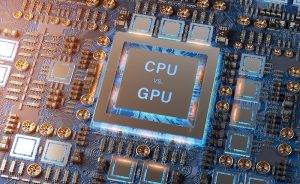



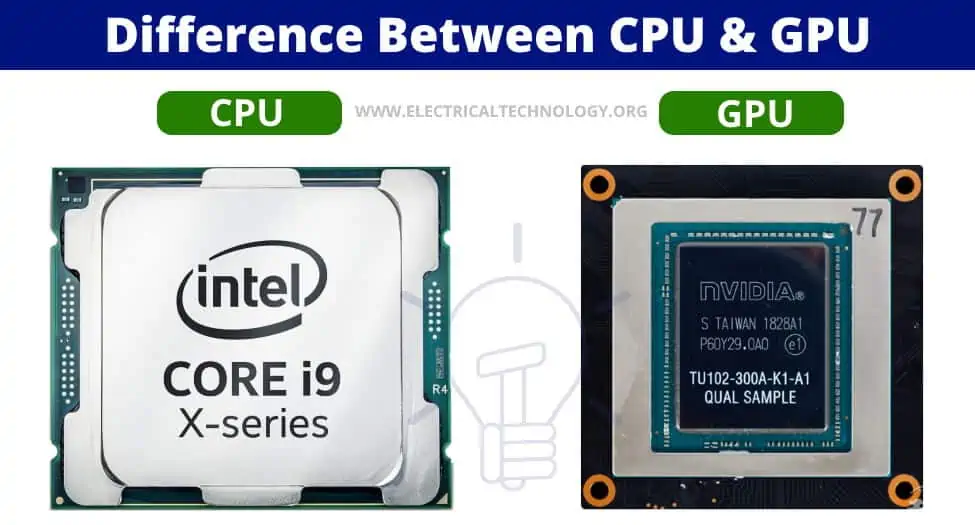
A CPU (Central Processing Unit) is a versatile “brain” for general tasks, using a few powerful cores for sequential jobs, while a GPU (Graphics Processing Unit) has thousands of smaller cores for massive parallel tasks like graphics, AI, and video rendering, making it specialized for intensive, repetitive calculations. The key difference is architecture: CPUs are for flexibility and complex individual instructions (serial processing), whereas GPUs excel at handling many simple tasks simultaneously (parallel processing).
CPU (Central Processing Unit):
- Function: The main processor, handling operating systems, applications, and diverse tasks.
- Cores: Fewer, but very powerful cores, optimized for single-thread performance and multitasking.
- Best For: General computing, running apps, system management, sequential operations.
GPU (Graphics Processing Unit):
- Function: Specialized for complex visual and mathematical tasks, originally graphics.
- Cores: Thousands of smaller, simpler cores for parallel processing.
- Best For: Gaming, video editing, AI, machine learning, crypto mining, rendering.
How They Work Together:
- CPUs manage overall system operations and complex logic, while offloading heavy, repetitive math to the GPU.
- For tasks like gaming, the CPU handles game logic, and the GPU renders the millions of pixels and textures.
In Simple Terms (Analogy):
- CPU: A brilliant manager who can handle many different jobs, but only one or a few at a time.
- GPU: A massive team of specialized workers (like ants) who can all do the same simple job (like building an anthill) at the exact same time, making bulk tasks incredibly fast.
What is the main difference between CPU and GPU?
The main difference between a CPU and GPU lies in their functions. A server cannot run without a CPU. The CPU handles all the tasks required for all software on the server to run correctly. A GPU, on the other hand, supports the CPU to perform concurrent calculations.
Which one is best, CPU or GPU?
Neither CPU nor GPU is universally “better”; they are different tools for different jobs: CPUs are the general-purpose “brains,” great at sequential tasks (like running your OS, databases) with fewer powerful cores, while GPUs (Graphics Processing Units) are specialized for massive parallel tasks (like AI, video rendering, gaming graphics) with thousands of smaller cores, making them faster for data-heavy, simultaneous calculations. For most PC users, especially gamers, a balanced system is key, but a strong GPU usually matters more for visual performance, while a solid CPU ensures smooth game logic and multitasking.
CPU (Central Processing Unit):
- Strengths: Handles core system functions, complex logic, single-threaded tasks, and a wide variety of operations quickly.
- Architecture: Fewer, very powerful cores.
- Best For: Operating systems, general applications, databases, some older or less graphically intensive games.
GPU (Graphics Processing Unit):
- Strengths: Excels at parallel processing, breaking large problems into smaller ones solved simultaneously.
- Architecture: Thousands of smaller, specialized cores.
- Best For: Gaming (rendering visuals), video editing, AI/Machine Learning, scientific simulations, 3D rendering.
Which do you need more?
- For Gaming: A strong GPU is usually paramount for high frame rates and detailed graphics, but a decent CPU prevents bottlenecks.
- For AI/ML/Rendering: A powerful GPU is crucial due to its parallel processing power.
- For General Use: A balanced CPU and GPU are fine; the CPU handles daily tasks efficiently, notes Amazon Web Services.
The Verdict:
You need both! They work together: the CPU manages the game’s rules and sends data, while the GPU renders the actual images. For most users, investing more in the GPU usually yields better performance in graphics-intensive tasks, but a weak CPU will hold back even the best GPU.
Do I need both CPU and GPU?
Today, it is no longer a question of CPU versus GPU. More than ever, you need both to meet your varied computing demands. The best results are achieved when the right tool is used for the job.
Can a GPU work without a CPU?
The modern GPU emerged during the 1990s, adding the ability to perform operations like drawing lines and text without CPU help, and later adding 3D functionality. Graphics functions are generally independent and this lends these tasks to being implemented on separate calculation engines.
Can a computer run without a GPU?
Yes, a PC can run without a dedicated GPU (Graphics Processing Unit) if the CPU (Central Processing Unit) has built-in integrated graphics (iGPU), allowing you to plug your monitor into the motherboard; but if the CPU lacks an iGPU (like Intel’s ‘F’ series or some AMD Ryzen chips), you must have a dedicated GPU for the system to display anything and boot, otherwise, it’s a “headless” server scenario, notes Quora and Reddit. Integrated graphics are fine for basic tasks and even light gaming (e.g., Fortnite, GTA V), but a dedicated GPU is needed for serious gaming or demanding graphical work, say YouTube users and YouTube users.
How it works
- With iGPU: Your monitor connects to the motherboard’s HDMI/DisplayPort, using the CPU’s internal graphics processing.
- Without iGPU: The PC won’t display anything unless a dedicated graphics card is installed in the PCIe slot, say Reddit users and PCPartPicker users.
What to look for in a CPU:
- Intel: Look for models without an ‘F’ at the end (e.g., i5-12600K, i5-12400).
- AMD: Look for models with a ‘G’ suffix (APUs) or most Ryzen 7000/8000 series (check specs).
Performance without a dedicated GPU:
- Basic Use: Excellent for web browsing, office apps, and video streaming.
- Gaming: Modern iGPUs (like AMD’s 8600G) can play many games at 1080p with adjusted settings, but older ones struggle.
- Temporary Solution: It’s a great way to use your PC while waiting for a dedicated GPU to arrive or be repaired, say Quora users and YouTube users.
Learn more by clicking the reference link: https://www.google.com/search?q=Difference+between+CPU+%26+GPU&rlz=1C1CHBD_en-GBIN1169IN1169&oq=Difference+between+CPU+%26+GPU&gs_lcrp=EgZjaHJvbWUyBggAEEUYOTILCAEQABgKGBMYgAQyCggCEAAYExgWGB4yCggDEAAYExgWGB4yCggEEAAYgAQYogQyCggFEAAYgAQYogTSAQg4NDI0ajBqN6gCCLACAfEFGJ5f2MJ_-rA&sourceid=chrome&ie=UTF-8