


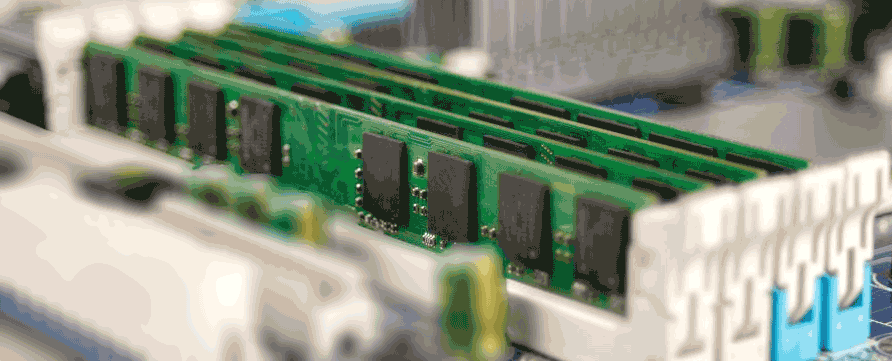
Yes, RAM performance significantly affects your computer’s speed and responsiveness, primarily through its capacity (how much data it holds) and speed (how fast it transfers data); more RAM allows for smoother multitasking and heavier applications, while faster RAM reduces loading times and speeds up data access for the processor, preventing slowdowns and reliance on slower virtual memory (your hard drive).
How RAM Capacity Impacts Performance:
- More Space, Better Multitasking: Think of RAM as your computer’s temporary workspace; more GB (gigabytes) means a larger workspace, allowing you to keep more programs and browser tabs open simultaneously without slowdowns.
- Avoiding Virtual Memory: When you run out of physical RAM, the computer uses your much slower hard drive (page file) as virtual memory, causing significant lag; having enough RAM prevents this.
- Recommended Amounts:
- 8GB+: Good for everyday tasks, browsing, and basic gaming.
- 16GB+: Ideal for hardcore gaming, video editing, and demanding creative work.
How RAM Speed Impacts Performance:
- Faster Data Transfer: Measured in MHz, faster RAM (higher numbers) means quicker data retrieval and writing, allowing the CPU to work more efficiently.
- Smoother Experience: Faster speeds translate to quicker application loading, faster boot times, and better responsiveness during intensive tasks like gaming or complex computations.
In Summary:
- Insufficient RAM (low capacity or slow speed) makes your computer feel sluggish, especially when multitasking or running modern apps.
- Upgrading RAM (adding more or increasing speed) provides a significant boost, allowing your processor to access needed data rapidly, resulting in a faster, smoother, and more capable system.
For example, upgrading from 4GB to 8GB RAM can make a huge difference for users who often run several apps, while upgrading from 8GB to 16GB provides more headroom for memory-intensive software.
How does RAM affect computer performance?
RAM (Random Access Memory) dramatically affects computer performance by acting as a super-fast temporary workspace for your CPU; more RAM (capacity) means more apps and data can be actively worked on at once (better multitasking & speed), while faster RAM (speed/MHz) means the CPU can retrieve that data quicker, leading to smoother operations, faster loading, and less lag, especially in demanding tasks like gaming or video editing. Insufficient RAM forces the system to use slower storage (virtual memory), causing major slowdowns.
How RAM Affects Performance:
- Capacity (GB):
- More is Better: A larger RAM capacity is like having a bigger workbench; you can keep more tools (programs/files) out and ready to use without putting them away.
- Multitasking: Allows many browser tabs, apps, and large files to run simultaneously without freezing or stuttering.
- Too Little: If RAM fills up, the computer uses your slower hard drive (virtual memory/page file), causing significant lag and slowness.
- Speed (MHz/Frequency & Latency):
- Faster Data Access: Higher MHz means quicker data transfer between RAM and the CPU, improving responsiveness.
- Reduced Bottlenecks: Faster RAM reduces the time the CPU waits for data, boosting performance in CPU-intensive tasks.
- Latency Matters: Lower latency (how quickly RAM responds to the first data request) also makes the system feel snappier.
Key Takeaways:
- Capacity for Multitasking: More GB for handling more things at once.
- Speed for Responsiveness: Faster MHz/lower latency for quicker data processing.
- RAM vs. Storage: RAM is always faster for active data than even SSDs, making it crucial for smooth operation.
- Ideal Balance: Enough RAM capacity prevents slowdowns, while faster RAM enhances performance in demanding applications (gaming, editing).
Will 32GB RAM make my PC faster?
Will 32GB of RAM make my computer faster? It will make your computer feel faster if your current amount of RAM is a bottleneck that is slowing down your entire system. It allows your system to access more information quickly without relying on slower storage and enables you to run more applications smoothly at once.
Is it worth getting 16GB RAM over 8GB?
If the task you are doing is more intense, you will need more RAM. 8 GB and up for more advanced activities like photo editing or streaming video. For even more intensive tasks such as 3D gaming or video rendering, 16 GB or more is suggested for optimal performance.
Does more RAM mean faster loading?
Adding more RAM can make your computer run faster. However, the performance boost will depend on what you’re using your computer for and the existing RAM. For general tasks, enough RAM means smooth operations with minimal loading times.
How much RAM do I need in 2025?
For most gamers in 2025, 32GB is the sweet spot. Modern AAA titles increasingly take advantage of the extra capacity, and running today’s games alongside background apps like Discord, streaming software, or multiple browser tabs is far smoother with 32GB than 16GB.
How long does RAM last?
RAM (Random Access Memory) typically lasts a very long time, often 5 to 10 years or even decades, often outliving other PC parts, as it doesn’t wear out from normal use but can fail due to manufacturing defects or physical damage; its practical lifespan is limited more by technological obsolescence (needing faster RAM for new software) than by physical decay, with warranties sometimes offering lifetime coverage.
Factors Influencing RAM Lifespan:
- Normal Use: Proper voltage and temperature are key; RAM built for stability can last ages.
- Manufacturing Defects: “Infant mortality” means some RAM fails early, but quality modules are reliable.
- Overclocking/Voltage: Pushing voltages or speeds too high can shorten life.
- Environment: Extreme heat or poor cooling can stress components.
When RAM Fails (Rarely):
- Corrupted Data: System instability, crashes, or blue screens.
- Errors: Memory tests (like Windows Memory Diagnostic) can find bad sectors.
- Physical Issues: Dust, bad solder joints, or thermal issues can cause problems.
Practical Lifespan vs. Failure:
- Technological Obsolescence: You might replace RAM because older types (like DDR3) are too slow for new games/apps, not because the old RAM broke.
- Long-Term Reliability: A well-built stick can last over 10-20 years, with some even getting lifetime warranties.